![fidesic-logo-300px-2023-2.png]](https://help.fidesic.com/hs-fs/hubfs/fidesic-logo-300px-2023-2.png?height=40&name=fidesic-logo-300px-2023-2.png)
Account owners can do a few things other users can't, whatever their role: upgrade the account, see Account & Billing (Overview, Usage, and Plan & Pricing) without the View Account & Billing permission, manage API keys and single sign-on, manage account products and check printing, and choose who else is an owner. An account can have several owners.
Who can do this: an existing account owner, or the company's main login.
Making a user an account owner
- Go to Settings → Users & Permissions → Users.
- Click the user to open their card. The Account Owner row shows Yes or No.
- Click Make account owner, then Yes to confirm.
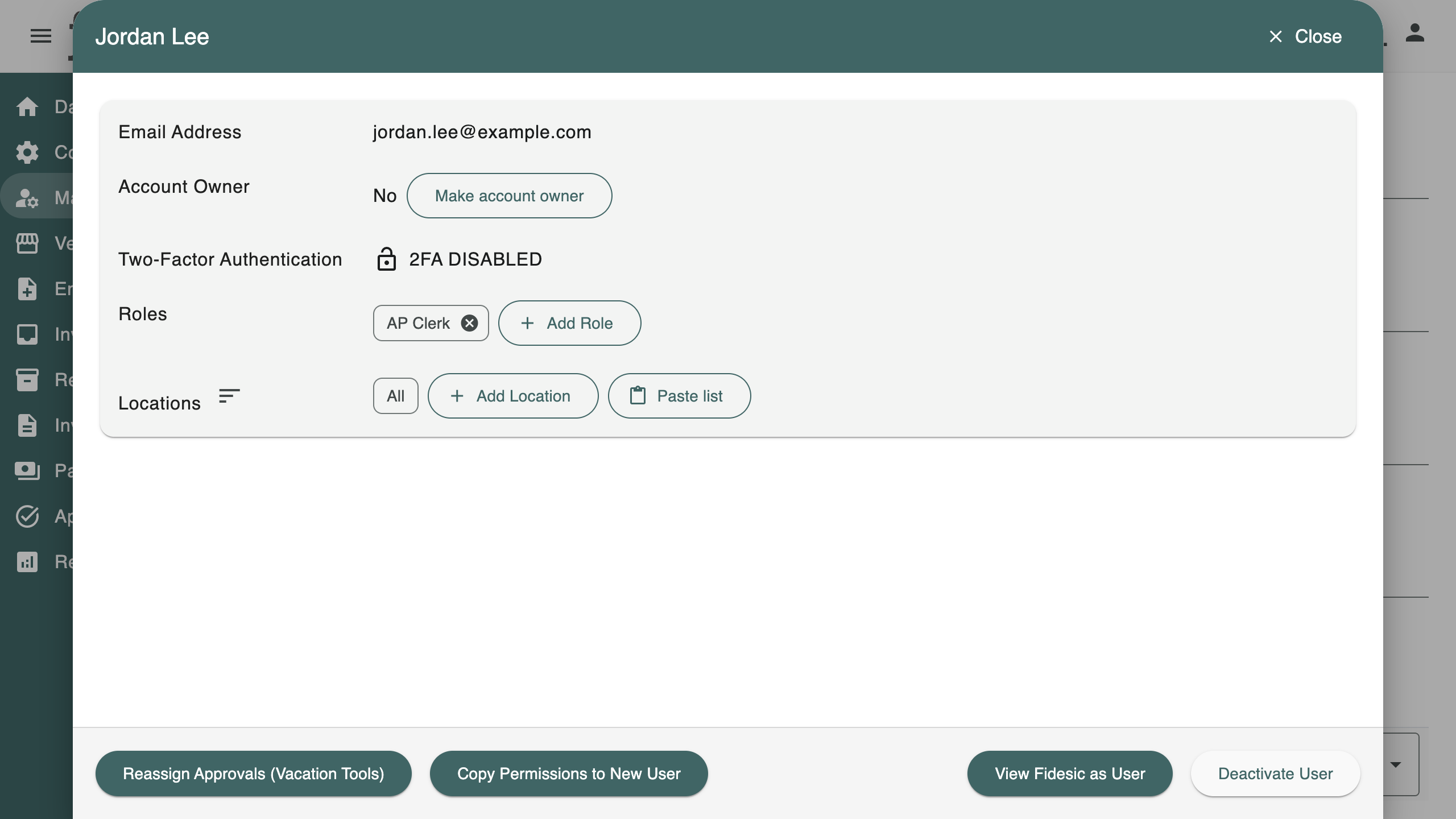
The user must be active. An invited user who hasn't finished signing up can be made an owner too, but they don't count as one of the account's owners until they sign up.
Removing the account owner role
- Open the user's card on the Users page.
- Click Remove account owner, then Yes to confirm.
The user keeps their roles and stays a user. Only the account owner role is removed.
Every account keeps an owner
Fidesic won't remove or deactivate the last owner on an account. You'll see "An account needs at least one owner. Make someone else an account owner first." Make another user an owner, then try again. An owner who hasn't finished signing up doesn't count here.
The audit log
Each change appears in the Audit Log under Users as Account Owner Added or Account Owner Removed, naming the user.