![fidesic-logo-300px-2023-2.png]](https://help.fidesic.com/hs-fs/hubfs/fidesic-logo-300px-2023-2.png?height=40&name=fidesic-logo-300px-2023-2.png)
Invoices often carry charges on top of the goods or services billed: freight, handling or fuel surcharges, and trade discounts. With Invoice Charges turned on, each of these gets its own row on the invoice, with its own account. Fidesic totals them apart from the subtotal, checks them against the PO, and sends them to Dynamics GP as charges rather than as purchase lines.
Turning it on
Who can do this: users whose role has Manage Company Profile.
- Go to Settings → Company → Preferences.
- Turn on Invoice Charges (Freight, Misc, Trade Discount).
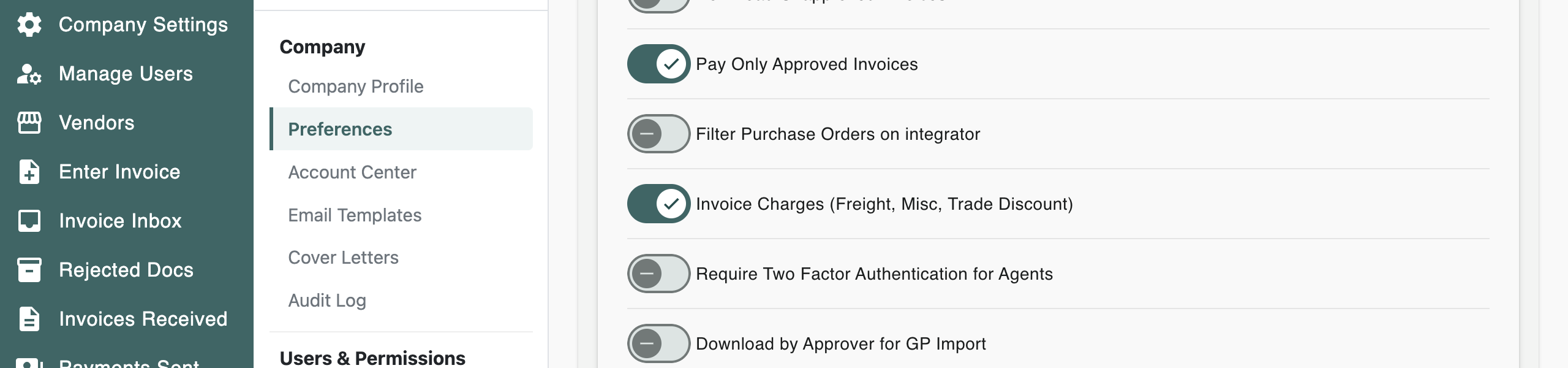
It is off by default.
Adding a charge to an invoice
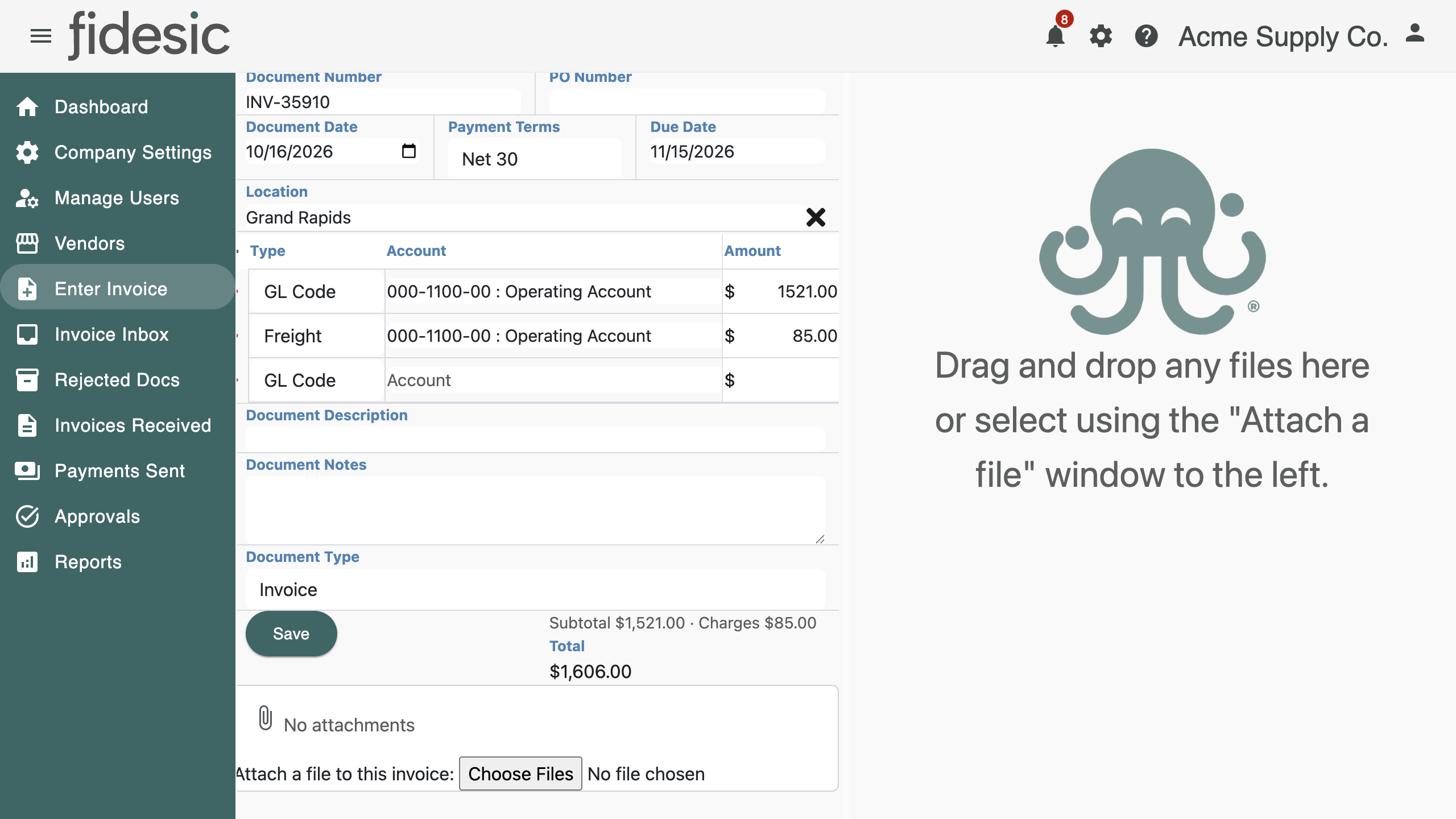
- When entering or adjusting an invoice, add a row to the GL coding.
- In the row's Type list, pick Freight, Misc or Trade Discount. If your company doesn't use tax codes, Tax is offered too.
- The account fills in from the vendor's default account for that charge, if the vendor has one, or else from your company's capture account. Change it if needed, and enter the amount.
Each charge row has its own account and dimensions. Under the coding, Fidesic shows the Subtotal and the Charges separately above the invoice total.
Charges captured by MagiCapture
MagiCapture reads freight, and miscellaneous charges such as handling, fuel surcharges and fees, separately from the line items. Each one goes on its own row, on the vendor's default account for that charge. If the vendor has none, freight goes to the account set in Capture Freight as a GL Line (GL Code) under Settings → Accounts Payable → MagiCapture. A charge with no account to go to stays in the invoice's coding as before.
Charges on PO invoices
On an invoice matched to a PO, each charge is compared with what the PO has left of that charge. The invoice page shows Matched when it fits, or Over PO when the invoice charges more than the PO allows.
Charges the PO doesn't carry
If your POs don't include a charge, such as freight, an invoice that charges it is flagged Charges Not on PO by default. You can choose to allow it instead, separately for freight, misc and tax:
- Go to Settings → Company → Preferences, and open Purchase Orders.
- Under PO match tolerances, in Charges not on PO, pick what to do for each charge: Flag (the default), Allow up to an amount, Allow up to a % of the subtotal, or Always allow.
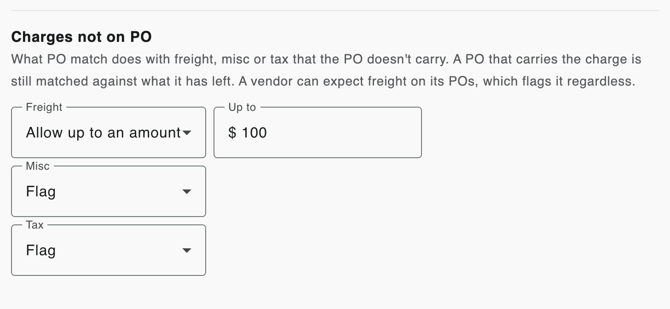
The setting shows when Invoice Charges and purchase orders are both turned on. It applies only to a charge the PO has none of; a PO that carries the charge is still checked against what it has left. On the invoice, an allowed charge shows Not on PO (within tolerance) in green, and a flagged one shows Not on PO in amber. A percentage is measured against the invoice subtotal, before freight, misc and tax.
A vendor's own settings
A vendor can have its own freight, misc and tax settings. Edit the vendor, and under PO Match Tolerances on the Vendor Details tab, change any of them from Use company setting. When a vendor's setting applied, the invoice says so, for example Not on PO (within tolerance, vendor override). The same section holds the vendor's price tolerances; see Set PO match tolerances for price differences.
If a vendor should always put freight on its POs, turn on Freight Expected on PO in the same section. Its freight is then flagged whenever the PO doesn't carry it, whatever the company or vendor settings allow.
For Dynamics GP users
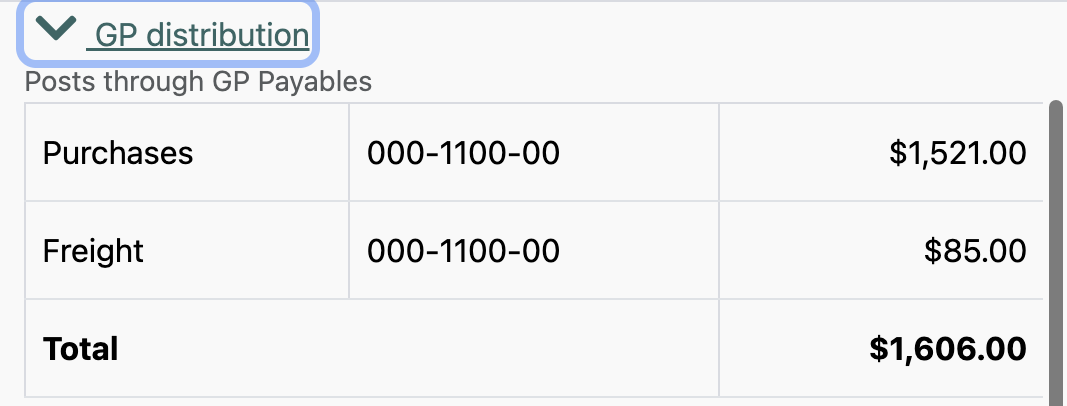
Freight, misc and trade discount rows are sent to GP as those charges, on their own accounts, rather than as purchasing lines. A GP distribution panel on the invoice page shows exactly what the GP import will post: each account and amount, and whether it goes through Payables or Purchasing.