![fidesic-logo-300px-2023-2.png]](https://help.fidesic.com/hs-fs/hubfs/fidesic-logo-300px-2023-2.png?height=40&name=fidesic-logo-300px-2023-2.png)
To open the Bank Accounts screen, go to the gear menu → Administration → Banking.
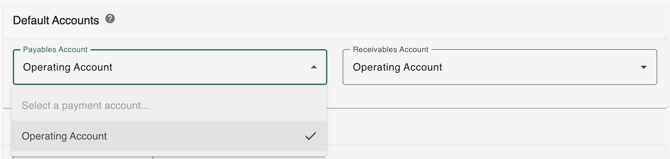
From the Bank Accounts Screen, you are able to choose your default accounts for Payables and/or Receivables if applicable By using the drop-down menu listed for each.
To add new accounts, use the Add Bank Account button at the top right of the Bank Accounts section, above the list of accounts already entered into the system. 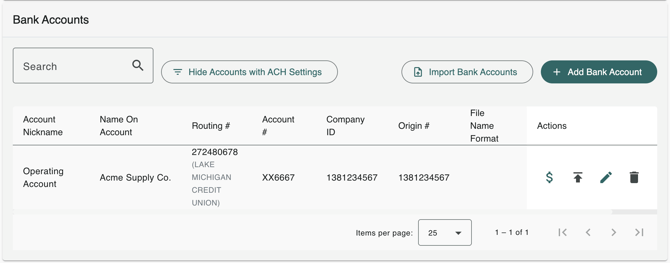
If you wish to delete or edit an account you can use the Delete (trash can) icon or the Edit (pencil) icon to the right of the listed account.