![fidesic-logo-300px-2023-2.png]](https://help.fidesic.com/hs-fs/hubfs/fidesic-logo-300px-2023-2.png?height=40&name=fidesic-logo-300px-2023-2.png)
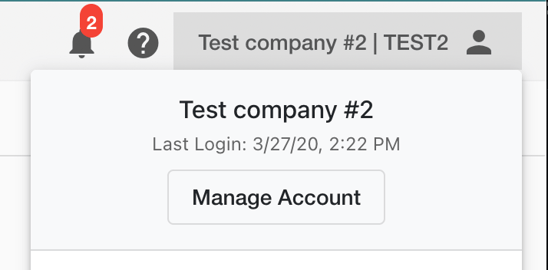
The Account page stores your company's basic login credentials and contact information. To access it, click the Account dropdown in the top-right corner of the screen, then select Manage Account.
You are able to change your account information on this page, including your login email address and password. For account security, only one login email address is supported per account. If multiple team members need access, we recommend creating a shared email address and password.
Note: Sharing login credentials carries security risks. We strongly recommend enabling Two-Factor Authentication (2FA) if your account credentials are shared among multiple users.
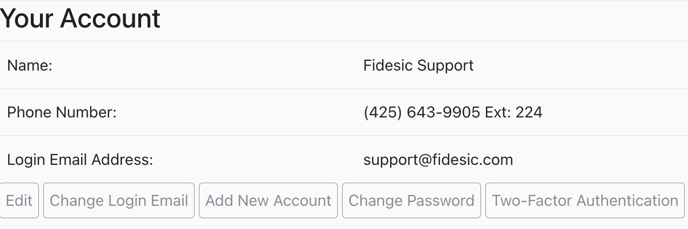
You can also set up Two-Factor Authentication (2FA) on this page. View the step-by-step 2FA setup guide for more information on setting up 2FA for your account.