![fidesic-logo-300px-2023-2.png]](https://help.fidesic.com/hs-fs/hubfs/fidesic-logo-300px-2023-2.png?height=40&name=fidesic-logo-300px-2023-2.png)
First, log in from the following link:
https://servpro.fidesic.com/#/auth/Login
If you are not sure of your password, click the "Forgot password?" link on this page. If you are not sure of your login email address, please contact our support line and provide your franchise number(s).
Once logged in, you should be able to view and pay your invoices from the Pay Invoices page. If you do not have a payment method added, you can do so by clicking the "Add Payment Account" button at the bottom:
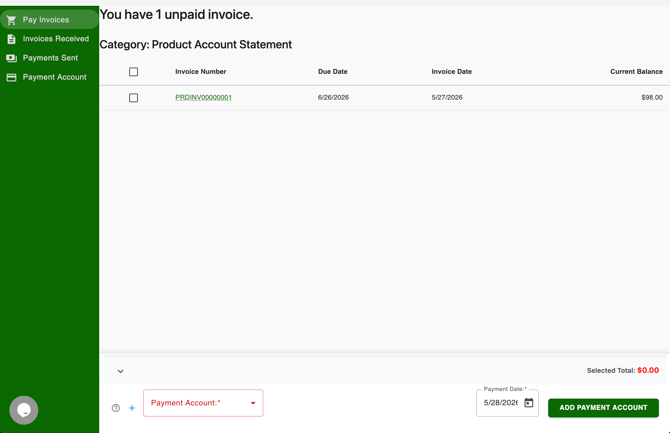
Once you have a payment method on file, select any invoices you would like to pay and click the "Pay" button at the bottom of the page and follow the instructions on the page to issue a payment against the invoice(s).