![fidesic-logo-300px-2023-2.png]](https://help.fidesic.com/hs-fs/hubfs/fidesic-logo-300px-2023-2.png?height=40&name=fidesic-logo-300px-2023-2.png)
Sometimes an invoice lands in your approval queue and you don't know who should approve it, or it shouldn't have come to you at all. Send to AP hands it to your invoice workflow's default approver, usually your AP team, with a note saying why. AP then decides what happens to it.
Who can do this: any approver with the invoice waiting in their queue. No extra permission is needed. The button only shows when your invoice workflow has an active default approver, and it doesn't show to the default approver themselves.
Sending an invoice to AP
You can send an invoice from three places:
- On the Unapproved Invoices page, open the invoice's row menu and click Send to AP.
- In the invoice preview on that page, click the Send to AP icon.
- On the invoice itself, click Send to AP next to Approve.
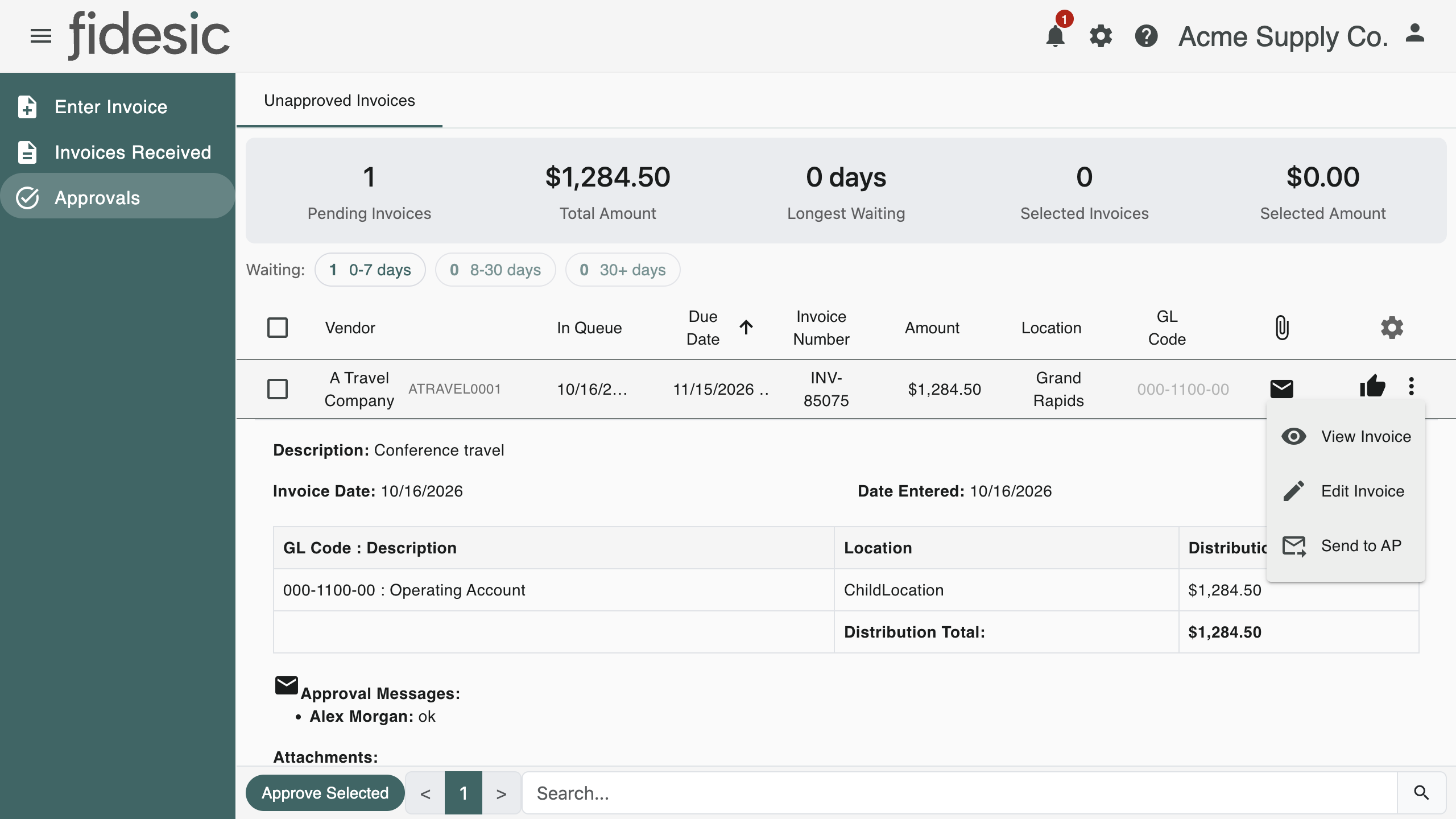
Fidesic asks for a note. Type why you're sending it, in up to 125 characters, and click Send to AP. The note is required.
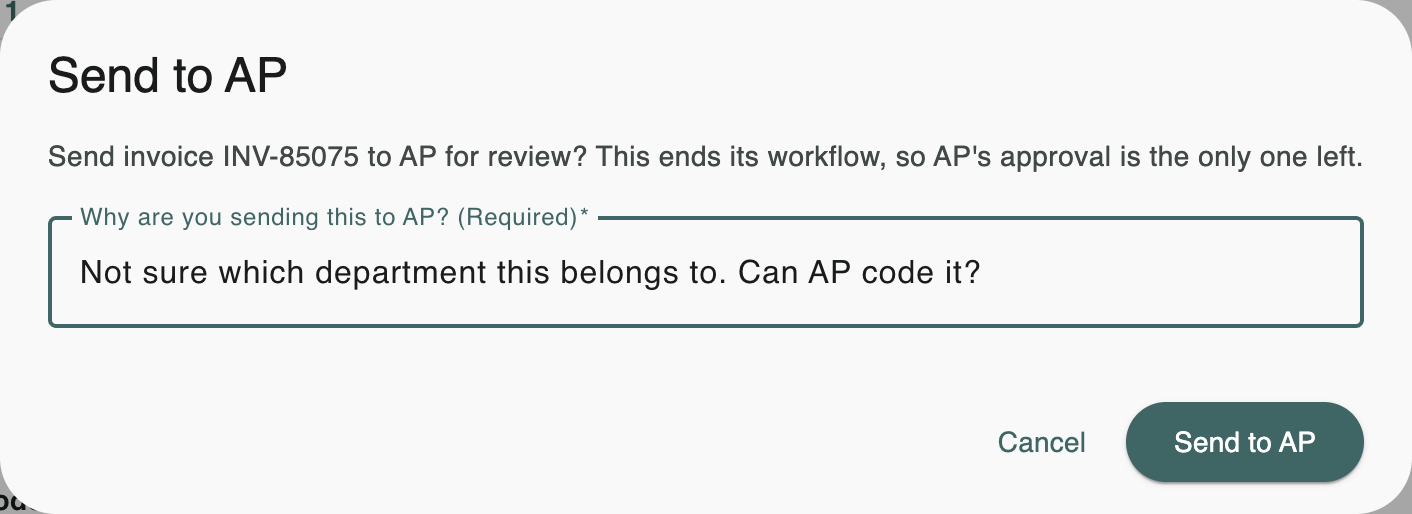
The invoice leaves your queue and you see Invoice sent to AP.
What happens next
- The default approver gets a new approval on the invoice and is notified, with your note.
- The rest of the invoice's workflow ends. Any other approvals still waiting, in your stage or any later one, are closed, so those approvers no longer see the invoice in their queue.
- The default approver's approval is the only decision left. When they approve it, the invoice is approved.
- Approvals already given before you sent it stay on the record.
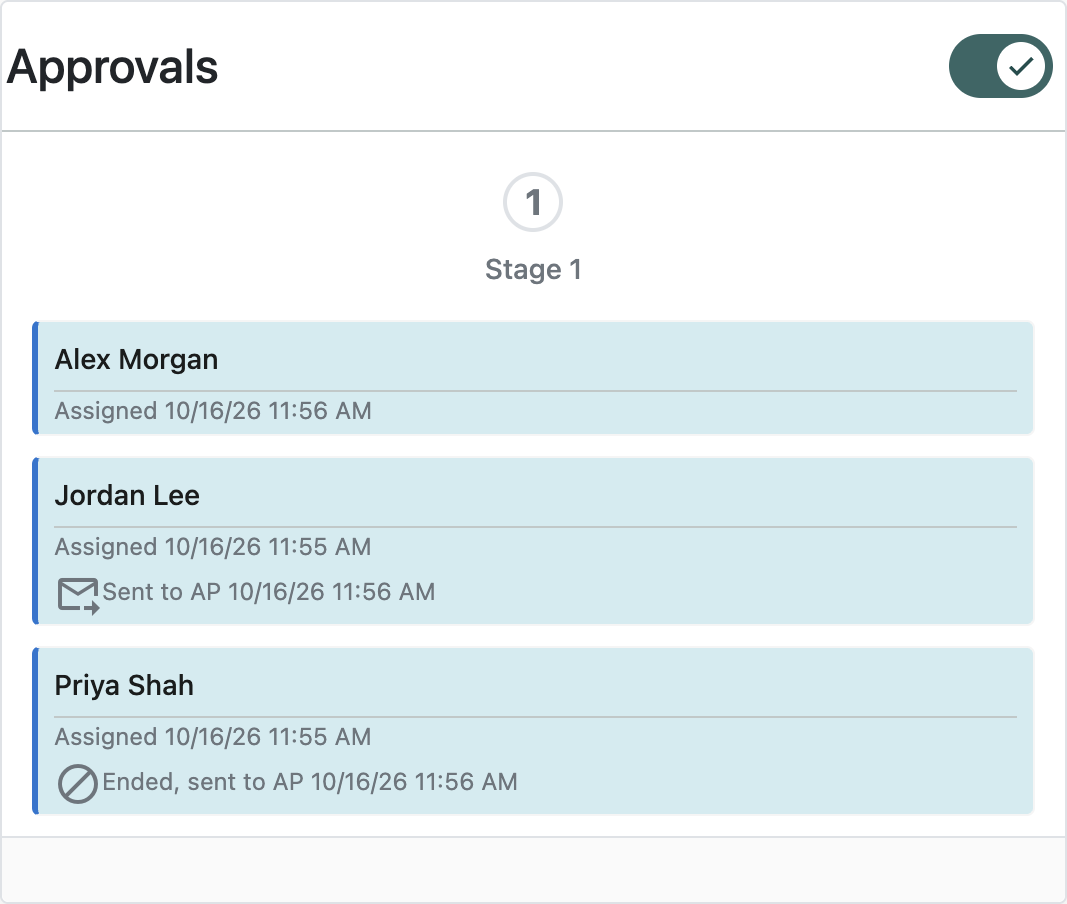
On the invoice's approval list, your approval shows Sent to AP and the approvals that were closed show Ended, sent to AP. Your note appears in the invoice's approval notes and history.
Setting the default approver
The default approver is set on the invoice workflow page, under Settings → Users & Permissions → Approval Workflow, with Manage Default Approver. It's the same person or role that gets invoices no rule matches. If no active default approver is set, Send to AP isn't offered.
If someone edits the invoice after it's sent to AP, its workflow is regenerated as it is after any edit: the rule approvals come back, and the default approver's approval stays.