![fidesic-logo-300px-2023-2.png]](https://help.fidesic.com/hs-fs/hubfs/fidesic-logo-300px-2023-2.png?height=40&name=fidesic-logo-300px-2023-2.png)
Prerequisites
Invoices must be in an approved status before they are available for import. If you need help approving invoices, you can read our guide on that here.
Import
Navigate in Business central to your Purchase Invoice page. Then select Fidesic → Import Fidesic Purchasing Invoices in the action bar. It's also under Actions → Sync → Import Fidesic Purchasing Invoices, and the same action is on the Purchase Invoices list.
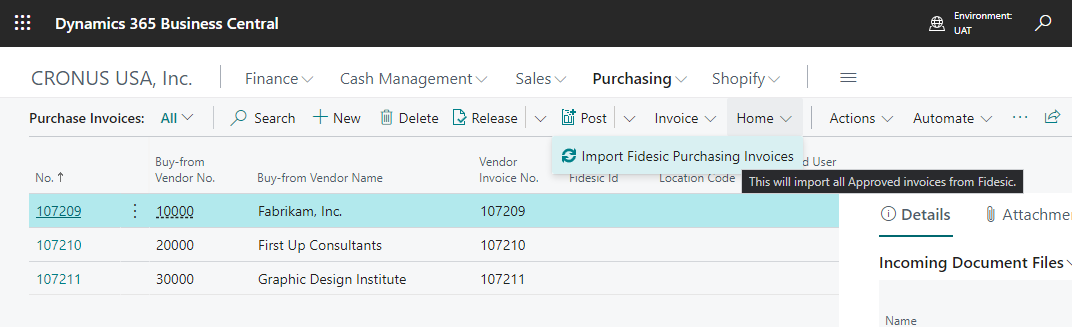
By default, the invoice record will be created in BC in a Released status. This will allow you to only adjust the invoice if necessary. To have imported invoices created in an Open status instead, set Invoice Import Status to Open on the Fidesic Integration Setup page.
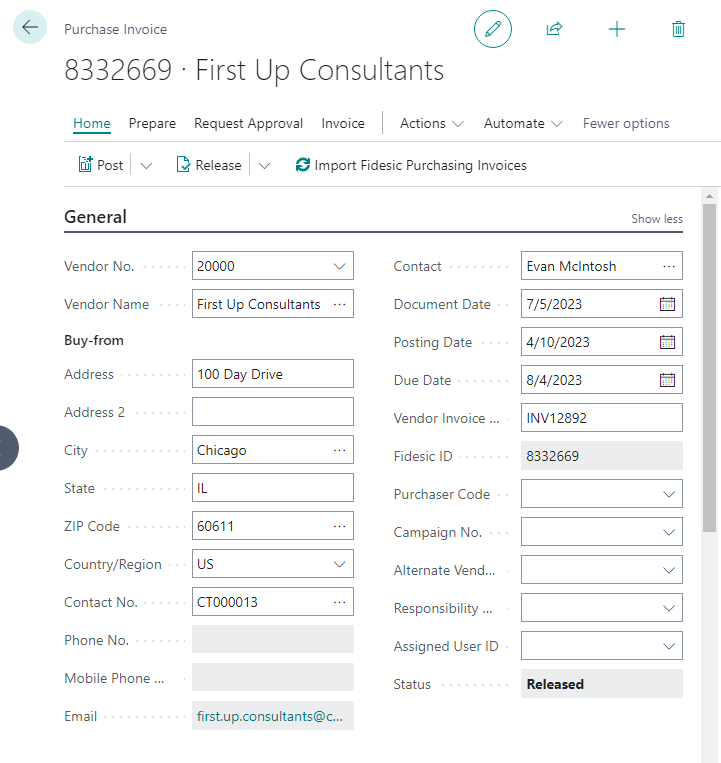
This invoice will have all required data, and is ready to post as if it was entered manually.
After importing you can Post this invoice as you would any other invoice.
Attachments
All attachments added to Fidesic during the approval process (including the original PDF sent to data capture) will be available from the standard attachments pane in BC.
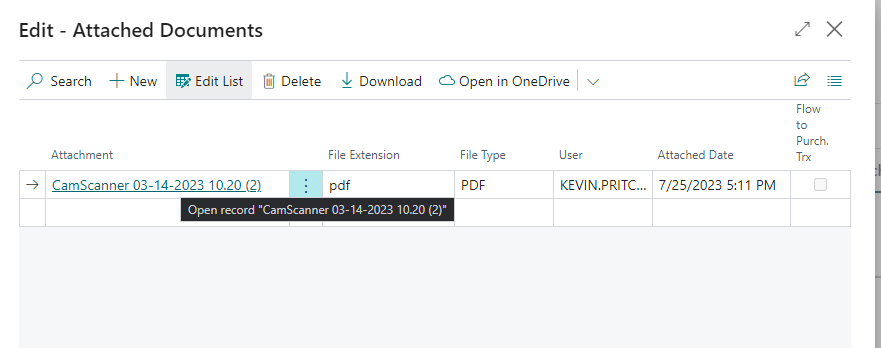
Document Description Fields and Where they are Synced.