![fidesic-logo-300px-2023-2.png]](https://help.fidesic.com/hs-fs/hubfs/fidesic-logo-300px-2023-2.png?height=40&name=fidesic-logo-300px-2023-2.png)
Overview
The Fidesic Rejected Docs queue contains all invoices that could not be processed automatically by the OCR system. You can process, delete, or assign these invoices to a specific user for review.
- In the side menu, click Rejected Docs.
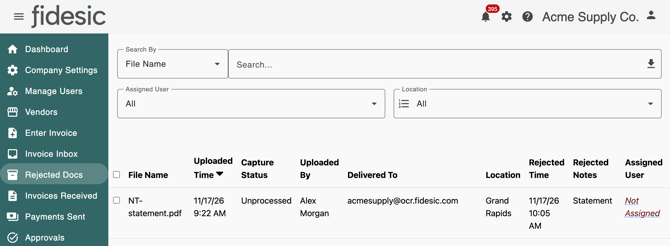
- On the invoice you want to assign, click its Assigned User column (it reads Not Assigned until someone is assigned) to open the list of users.
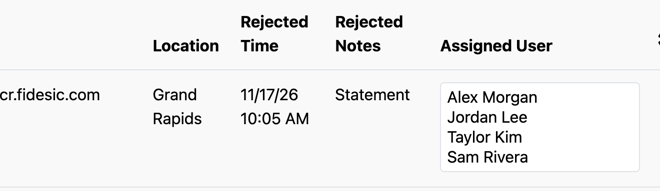
- Select the user from the list. The invoice is assigned to them as soon as you select them.

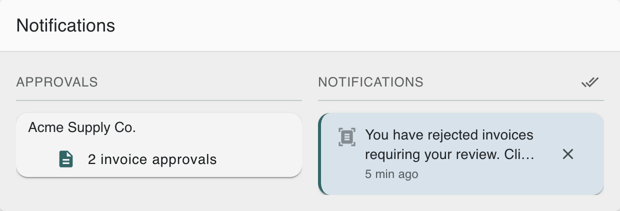
The assigned user will also receive a notification in their notifications panel saying they have rejected invoices requiring their review. Clicking this notification opens Rejected Docs showing the invoices assigned to them, where they can process, delete, or reassign the invoices to a different user. To find them later, they can open Rejected Docs and set the Assigned User filter to Me.